AFCU Container Background
AFCU Container Background Arcs

Account & Activity Alerts

a family viewing something on a tablet
Man on Phone (Square)

Get Quick Notifications for Actions & Transactions

a man with his phone
Man on Phone (Square)

Account and activity alerts keep you informed about your finances. We’ll let you know when a deposit arrives, if a balance is low, when a loan payment is due & more. This service is free, simple to set up, and available via email and text message.

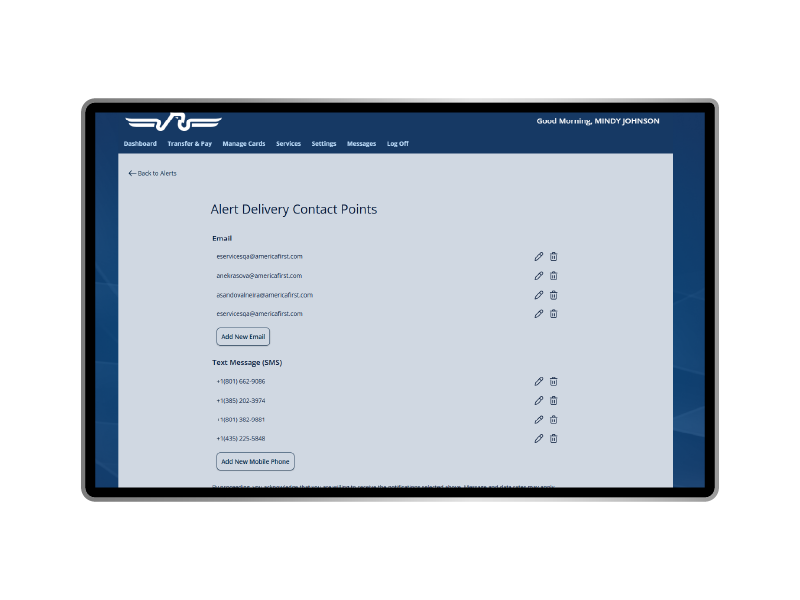
Step One: Manage Contact Points

In order to receive these helpful alerts, you need to set up your preferred methods of communication. To enter or update your contact information:

  • Log in to digital banking
  • Go to Settings & select Account & Activity Alerts
  • Go to Alert Contacts and click Manage to edit
  • Add & verify an email address or mobile number
contact points contact points

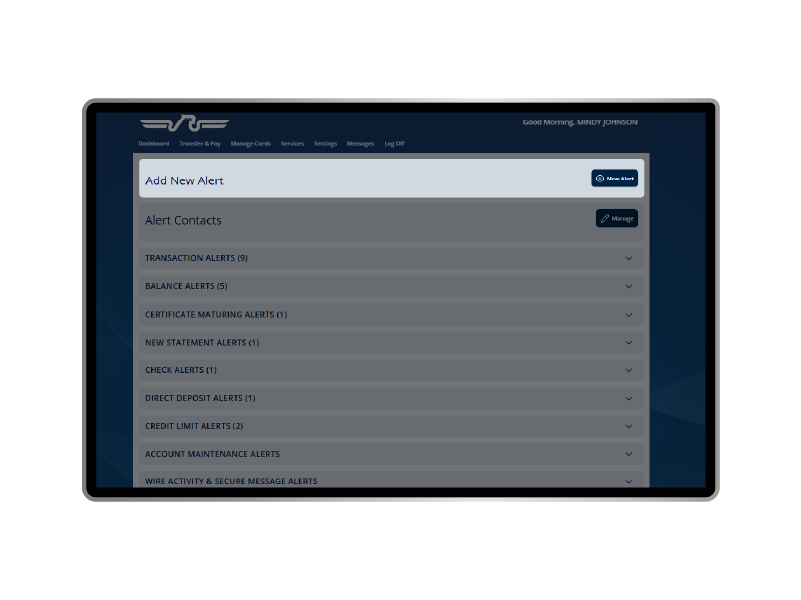
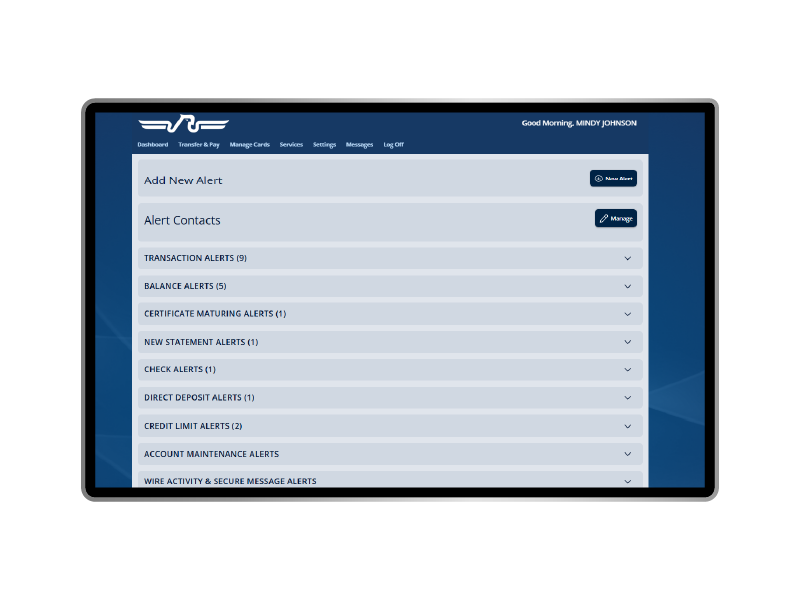
Step Two: Create Email or Text Alerts

Setting up notifications to be sent to your inbox or mobile device is easy, all you have to do is:

  • Log in to digital banking
  • Go to Settings & select Account & Activity Alerts
  • Select the New Alert button
  • Click the arrow next to an alert category to see the menu of options
  • Enter your alert preferences
  • Select the contact points the alert should be sent to
  • Save by clicking Create Alert
email alerts email alerts

Alert Types

Here are the types of activity alerts members can set up in digital banking:

  • Balance - When account balances go above or below a specified amount.
  • Certificate maturing – Up to 15 days before your certificate accounts mature.
  • Check alert - When a specific check clears the account. You can choose up to 10 check numbers or a single range of checks.
  • Credit limit - When a balance is within a certain amount of a credit limit.
  • Direct deposit - When a direct deposit is made above a specified amount.
  • New fee - When a non-sufficient funds fee posts to the account.
  • Payment reminder - When loan payment has not been made and is within a specified number of days of the due date.
  • New statement - When a new statement is available for viewing online.
  • Transaction - When the following transactions over a specified dollar amount post to the account:
    • ATM withdrawal
    • Visa® credit clearing
    • Visa debit clearing
    • Point of sale
    • Transfer to another America First account
    • Safe deposit box payment posted
    • Visa rebate posted
    • Visa annual fee posted
    • Automatic withdrawal (ACH)

For security reasons, each of the following alert types cannot be disabled, however, contact points can be managed for each separately:

  • Account maintenance – When any of the following items occur:
    • PIN change
    • Request for new card
    • New card issued to replace expiring card
  • Wire activity – When a wire transfer is made or a payment template or recipient is modified.
  • Secure message – When a new message from us arrives in your account

SMS messages will be sent from short code 692328. Emails will be sent from alerts@americafirst.com.

Alert Types

FAQs

Yes, simply add the additional contact points under Settings > Alerts > Contact Points. Then, either add the number to a specific notification or create a new alert with all relevant contact points.

If the alerts you’ve set up aren't functioning correctly, first select Manage to confirm that the correct contact points are listed. Then, go to the alert type and click Edit to ensure your preferred contacts are marked for each one.

AFCU arcs

Stay on Top of Your Account

Free alerts ensure you're up to date.

a woman folding her arms and smiling a woman folding her arms and smiling

We're Here to Help You

At America First Credit Union, our chief concern is the financial well-being of members. We strive to provide superior products and services and strengthen the communities we serve.